Find any macro by what it says, not what it's titled.

Zendesk macro search only matches exact titles. Macro Search matches every word, in any order, across titles and reply text, then inserts the macro with one keystroke.

No account. No external servers. Runs only on your *.zendesk.com agent pages.
How it works

Three keys between you and any macro.

Works with the macros your team already has. Nothing to configure, nothing to import.

1

Press ⌘⇧M in any ticket

(Ctrl+Shift+M on Windows.) The search palette opens over your ticket, and your macros load from your own Zendesk session.

2

Type any words you remember

"park hours" finds Water Park Operating Hours. Every word matched in any order, across titles, subjects and reply bodies, with a full preview.

3

Hit Enter

The reply text lands in your composer, placeholders intact. Or press ⌥1⌥9 to insert a numbered result without touching the mouse.
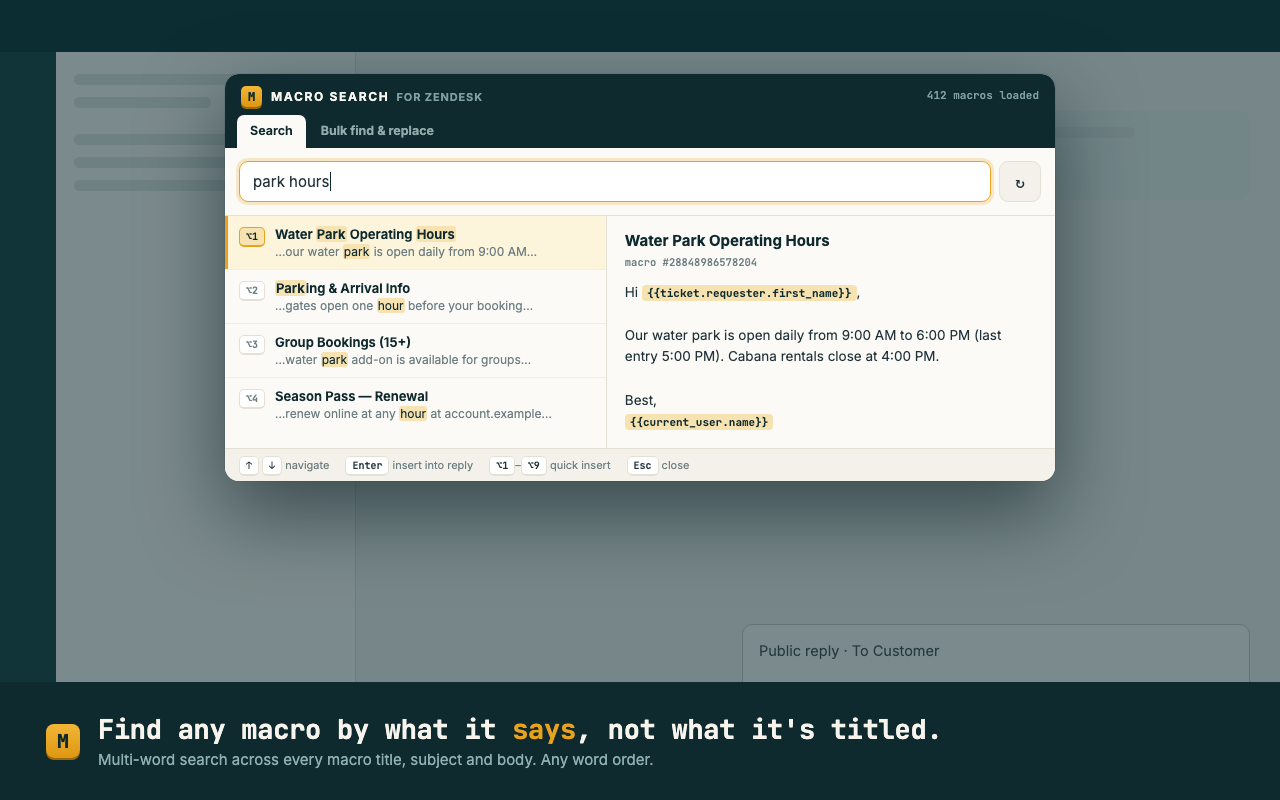
Macro Search palette over a Zendesk ticket: searching 'park hours' finds the macro 'Water Park Operating Hours' with highlighted matches and a full reply preview
Bulk find & replace

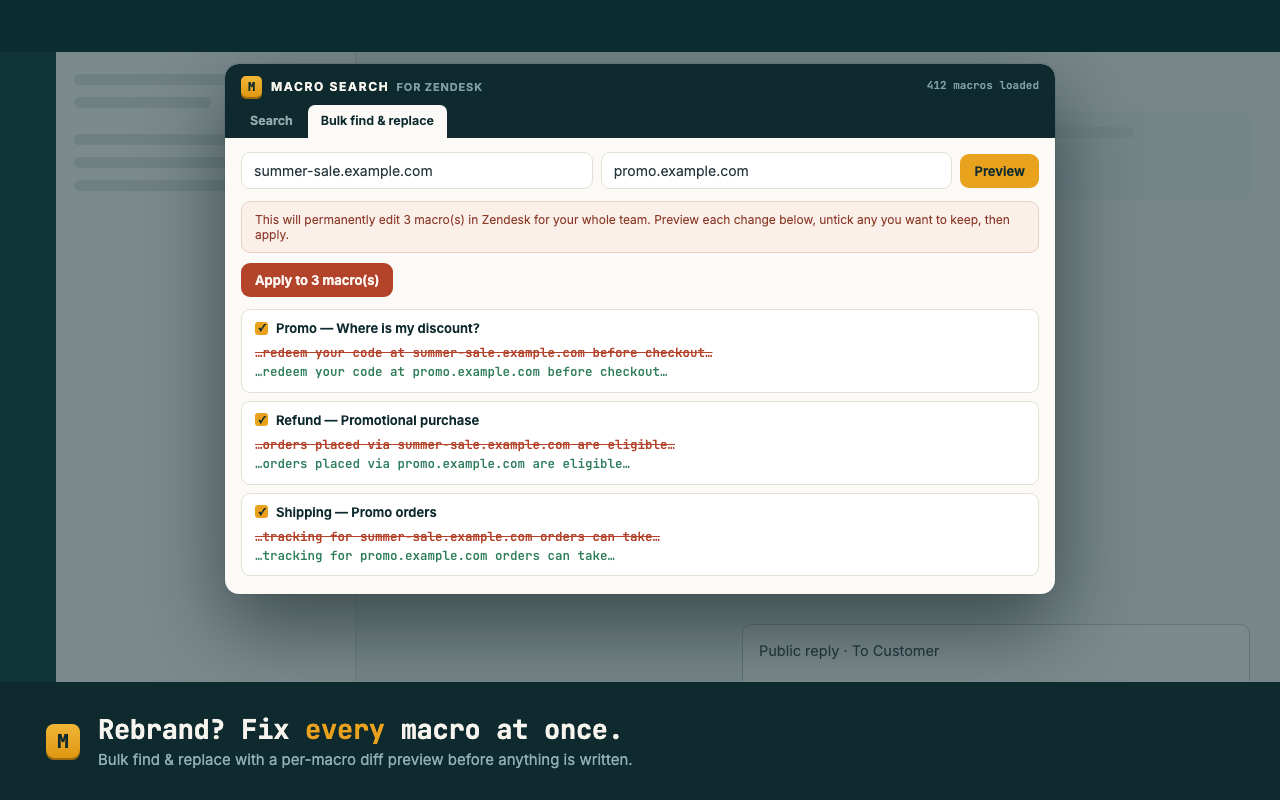
Rebrand? Fix every macro at once.

A URL changes, legal rewrites a sentence, the product gets renamed. Someone has to edit 200 macros by hand.

  • Search across every macro title, subject and body
  • Per-macro before/after diff, untick any you want to keep
  • Nothing is written until you type REPLACE to confirm
  • Failures reported per macro; everything else untouched
Bulk find and replace across Zendesk macros with a red/green diff preview for each macro before applying
Why this exists

Agents have asked for this for a decade.

"We are constantly struggling with how agents can find a particular macro… the search doesn't work if an agent enters more than one word."
"When an agent is searching for a macro called 'Water Park Operating Hours' they commonly want to search for Park Hours and this does not populate."
Pricing

Search is free. Forever.

Free
$0
per agent, forever
  • Multi-word search across all macros
  • One-keystroke insert + ⌥1–9 quick insert
  • Full reply preview with placeholders
  • Bulk find & replace preview
Pro, coming soon
$19
per workspace / month, unlimited agents
  • Bulk apply across unlimited macros
  • Macro usage insights & dead-macro report
  • Priority support
Join the Pro waitlist
FAQ

Questions, answered.

Why can't Zendesk find my macro when I search for it?

Zendesk's native macro search only matches words in the macro title, in order. Searching "park hours" won't find a macro titled "Water Park Operating Hours". Macro Search matches every word in any order, across titles, subjects and macro bodies.

Does Macro Search send my macros anywhere?

No. The extension talks to the Zendesk API from your own logged-in browser session, and caches your macro list locally in your browser (15-minute refresh). There are no external servers, no analytics, no account, and no tracking. See the privacy policy.

Can I edit many Zendesk macros at once?

Yes. Bulk find & replace shows a per-macro before/after diff, lets you untick any macro, and only writes after you type REPLACE to confirm. You need a Zendesk role that's allowed to edit shared macros.

Does inserting a macro apply its tags and field changes?

Inserting pastes the macro's reply text into the composer. Placeholders like {{ticket.requester.first_name}} stay intact and Zendesk substitutes them on send. Macro side-effects (tags, assignee, status) don't run; use Zendesk's native apply when you need those.

What permissions does the extension need?

It runs only on *.zendesk.com agent pages, and uses Chrome's storage permission solely to cache your macro list locally for instant search.